

Your agent owns its connections and tools. Tawdheef keeps companies, jobs and applications in one local record through CLI and MCP.
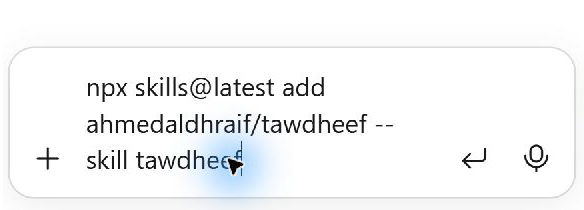
npx skills@latest add ahmedaldhraif/tawdheef-auto-apply-jobs --skill tawdheefApp setup below already installs this skill. Use this command if you only need its workflow guidance.
The app, directory packs and agent skills grow together. Help improve Tawdheef on GitHub.
Get started
Start the app, choose your assistant in Connections, then copy its setup request.
These steps match the current Native source. The older v0.1.2 download uses a different setup. Explore company data first.
Start Tawdheef
Download and extract the source, then run npm start in its folder. Use Node.js 26 LTS for source.
npm startChoose your assistant
Open Connections → Assistant and choose Codex or Claude Code. Copy the setup request into that client.
npm run agent -- codexFor manual Claude Code setup instead of Codex:
npm run agent -- claude-codeThese are optional local connection commands. Reuse your client’s existing connections; do not create a second mailbox or browser session in Tawdheef.

Connect your CV through your agent
Open Connections → Tabbio CV. Copy its request into your agent and complete provider sign-in and consent in that client.
CV, email, calendar, browser and password-manager access stay in your actual client. Connections shows Unknown, Needs you or a dated Client reported status.
Run copies a scoped request for your agent. Review its actions and companies before pasting.

Guides 8
Set up, find matching jobs and build career profiles for future opportunities.
Get started
Set up Tawdheef with your agent
Start the app, copy the setup request into your agent, then choose companies and actions.


Connect Codex or Claude Code
Choose Codex or Claude Code in Connections and copy the setup request into that client.
Create or connect your CV
Create or reuse a Tabbio CV. Your agent connects it and reads your current experience.
Using Tawdheef






Add a country directory
Download a free country pack from GitHub, extract it and import every CSV part into your chosen tab.
Find matching jobs and build career profiles
Choose companies and Run actions. Continue in your agent and track confirmed outcomes.


Check replies and reports
Ask your agent to check tracked replies and new jobs, then keep a local report. Monitoring is read-only.